City tax
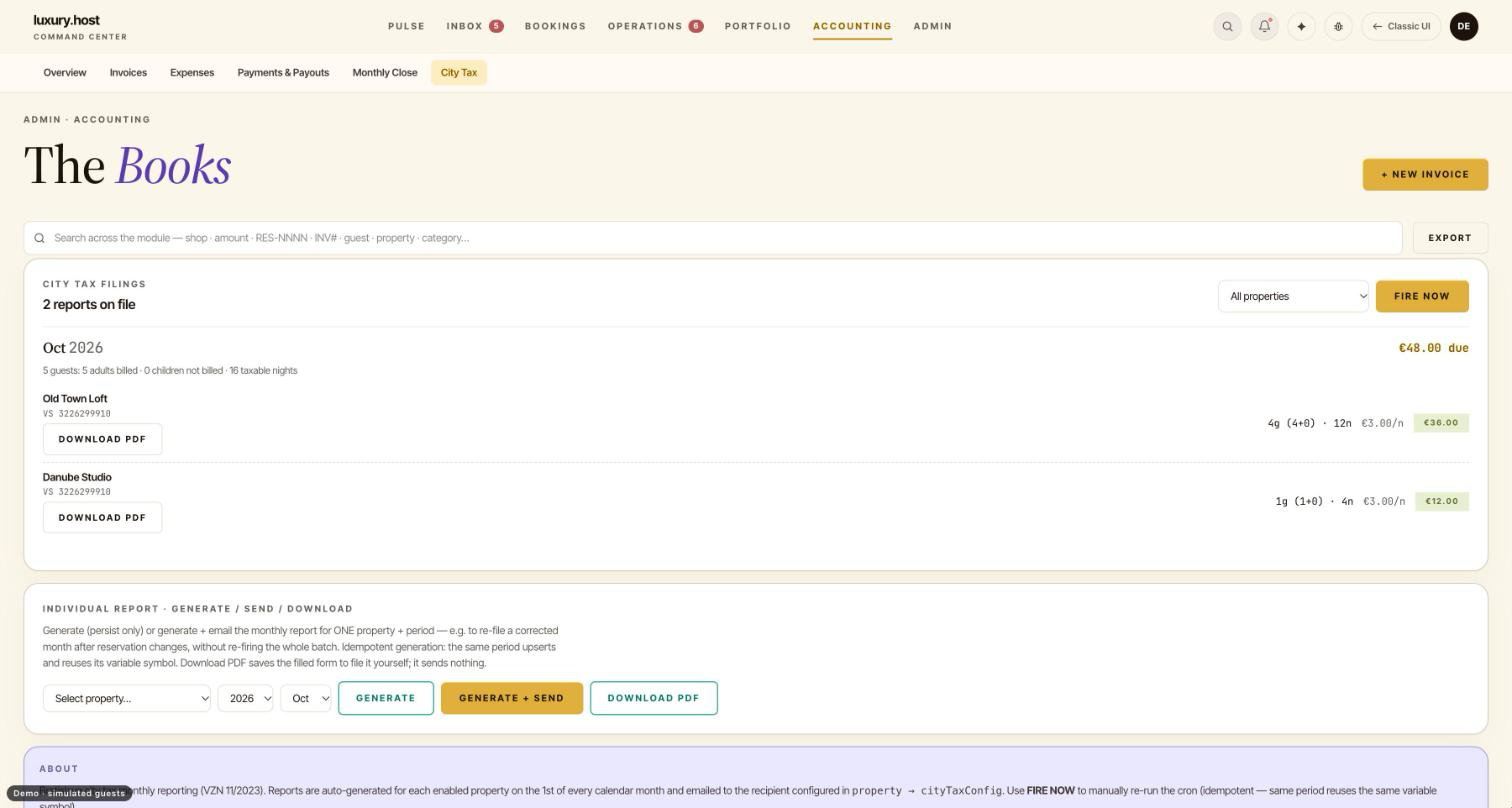
In Bratislava, city tax is charged per guest per night and paid to the city once a month. The Accounting section records how each guest paid (through the platform or in cash) and makes the monthly report.
Two ways guests pay
Guest-paid (already in reservation amount)
Booking.com and Airbnb collect city tax as part of the booking total. You do nothing. The amount shows in the booking's price breakdown and is counted in the city-tax number on the Overview card.
Cash on arrival
For direct bookings and platforms that don't collect city tax, the cleaner or you collect cash from the guest at check-in and record:
- The amount counted (it must not be €0)
- A photo of the cash being counted
The app compares the amount with the expected city tax, worked out as nights × rate × guests. If the amount is lower than expected, the app shows a warning instead of accepting it silently. The cleaner can override the warning with a reason (for example, a guest under 14 who does not pay).
Make the monthly bundle
At the end of the month, open Accounting → City tax → pick the month → GENERATE CITY-TAX BUNDLE.
You get one PDF and one CSV per property. They list every booking of the month with:
- Guest name, number of guests, number of nights
- Amount due
- How it was paid (
platform-paid/cash-paid) - A photo reference if paid in cash
This bundle is what you send to the city.
Rows with 0 EUR or no photo
A row may show a €0 amount or no photo attached. This means no cash was recorded for that stay. Check the row and fix it before you send the report to the city.