Reservations
Reservation Messages
Every reservation has a message thread: the full history of every message with the guest, from every channel, in one place.
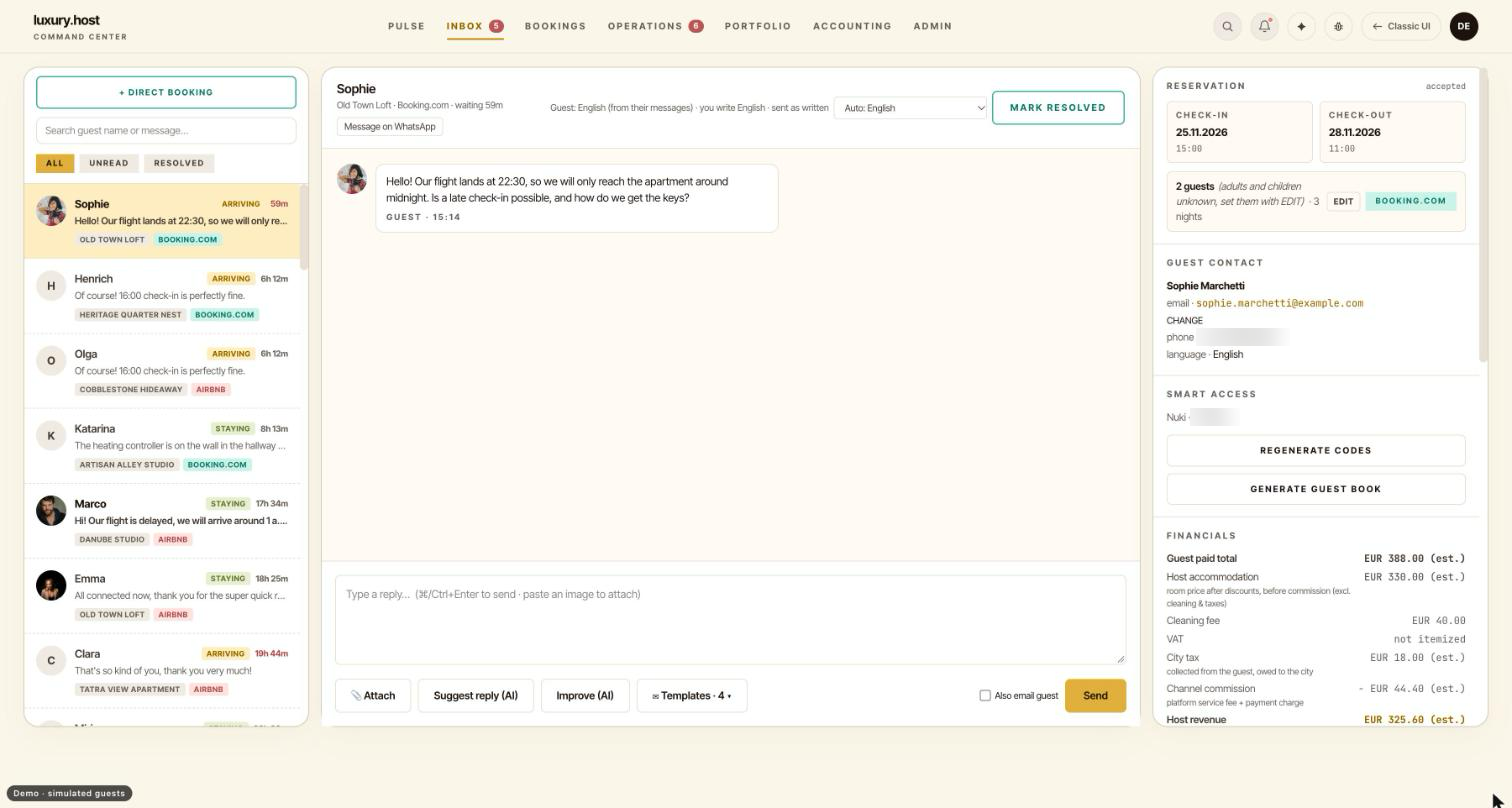
What's in the thread
- Guest messages: every message the guest sends (WhatsApp, in the app, through the booking channel).
- Your replies: replies typed by you, the host, or a teammate.
- AI replies: replies written by AI Suggest and sent (they show an AI tag).
- Automatic messages: messages sent by tasks (Send Check-in, pre-checkout reminder, etc.). They are clearly marked as system.
- Private notes: short notes the AI keeps for background (e.g. "Guest asked for early check-in; ops approved"). The guest never sees them.
Where to find it
- Reservation details → Messages tab.
- The WA Comm screen shows all conversations for all reservations.
Sending a reply
- Open the thread.
- Type a message and tap Send, OR
- Click AI Suggest to let the AI write the reply in the guest's language. See Communications → AI Suggest.
Languages
The thread shows each message in its original language. AI replies use the language chosen for this reservation:
- If the guest speaks the same language as the assigned teammate → reply in the guest's language.
- If the teammate marked the guest's language as one they read without translation → reply in the guest's language.
- Otherwise → reply in the teammate's communication language.
See Communications → Languages for the full rules.
Admin photos & chat visibility
If an admin uploads a photo into a reservation chat from the dashboard, the photo and the admin's next messages show in the thread, tagged ADMIN.
Source: the luxury.host operator manual.