Tasks
Task List (Operations → Tasks)
The Operations Tasks page is the full list of tasks for all your bookings. You can filter and sort it.
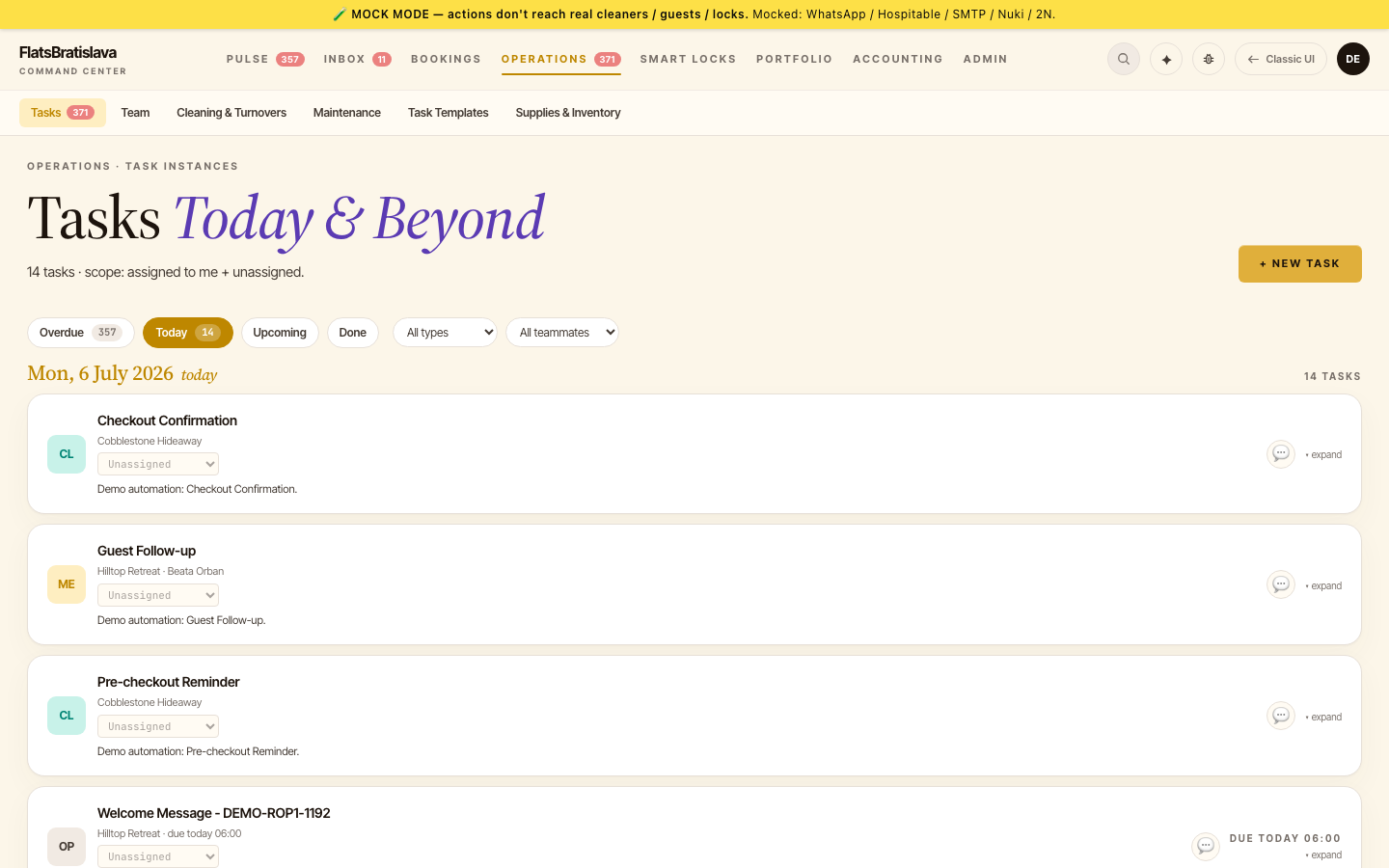
Columns
| Column | Notes |
|---|---|
| Name | The task name, from the template, in the teammate's language |
| Reservation | Flat, guest and check-in date |
| Assignee | A role or one teammate |
| Due | Date, or date and time; for automatic tasks, the time the app checks them |
| Status | not_done / scheduled / done / cancelled / failed |
| Action | What the app does when the task is done, for example send a WhatsApp message to the guest |
Filters
- Property: one flat or several
- Assignee role: host / cleaner / admin
- Status: for example only open or only failed tasks
- Date range: by due date
- Template: one task template (useful while you work on a new template)
Changing many tasks at once
Tick the rows, then:
- Snooze: move the due date N days later
- Reassign: change the role or teammate
- Cancel: mark as cancelled (things that already happened are not undone)
⚠ Cancel is one-way. A cancelled task is not created again by the automatic schedule. If you cancel a task by mistake, run the template by hand. See Manual trigger.
While the list loads
You see grey placeholder rows while the first page loads. If they stay for more than ~5s, loading has probably failed. Refresh the page. If it keeps happening, send a bug report from the app.
Common questions
- "What did Nina do today?": filter by assignee = Nina, date range = today.
- "Which tasks failed in the last 24h?": filter status = failed, date range = yesterday to today.
- "What is left for this guest's booking?": open the booking page. Its task list is easier to read than this list with filters.
- "Show me everything blocked": filter status = scheduled and look for the warning sign.
Source: the luxury.host operator manual.