Tasks
How to run daily operations
Your daily routine: one screen to start from, three lists to clear, and knowing when NOT to act because the app will do it.
Morning: start on Pulse
- Open Pulse. Today's check-ins, check-outs and turnovers are on the first card. The Needs decision list is right below it (guest questions and approvals waiting for you).
- Clear Needs decision first. Only these items really need a person.
The three task lists
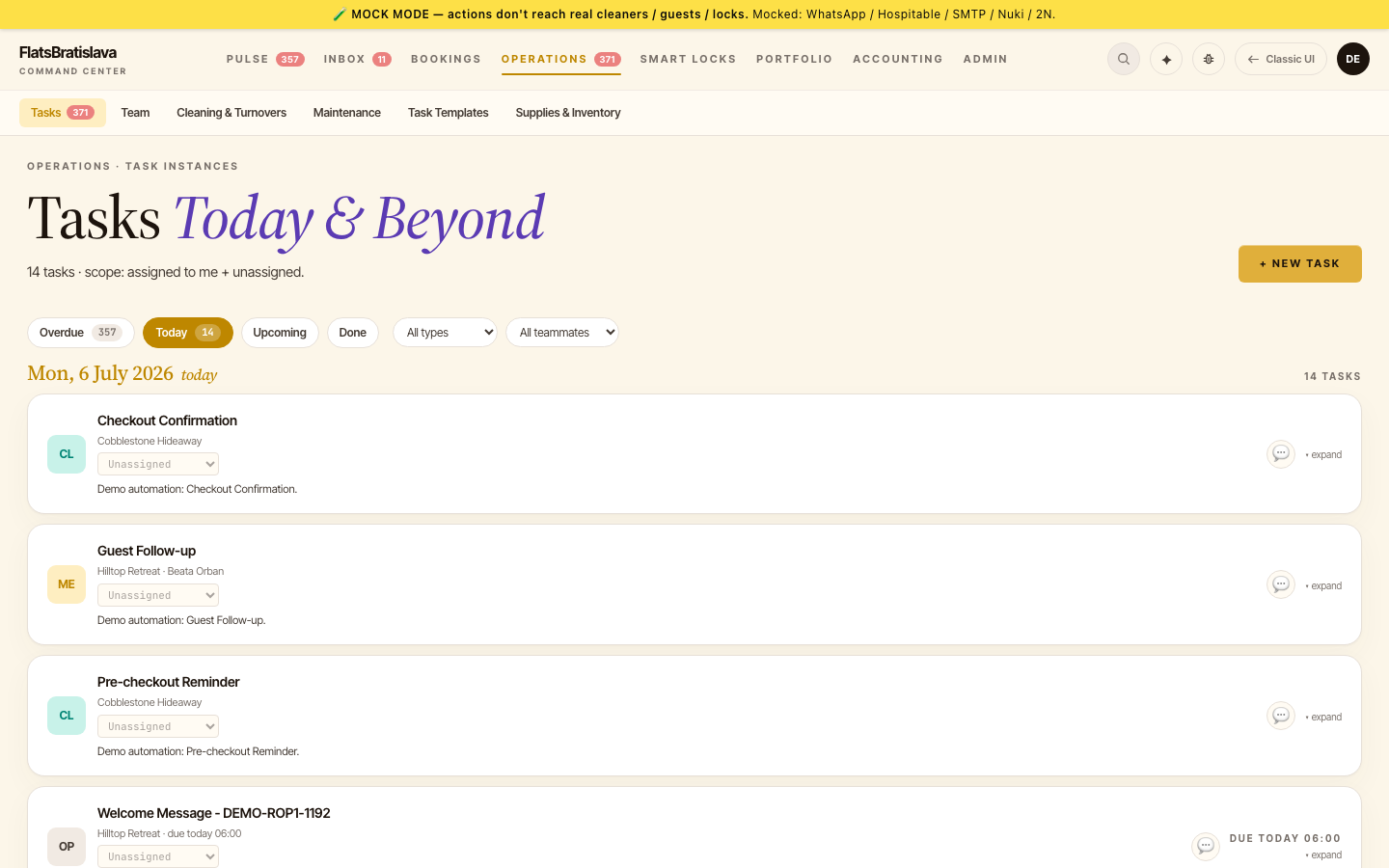
Open Operations → Tasks and go through the filter chips from left to right:
| Chip | What it holds | What to do |
|---|---|---|
| Overdue | Tasks past their set time that could not finish | Open each card. The reason is on it (a condition not met, a message not sent). Fix the cause, then press RUN CHECK or RESOLVE |
| Today | Everything planned for today | Mostly just for your information: AUTO tasks finish on their own at their set time. Act only when a card shows ⚠ condition not met |
| Upcoming | What is coming next | Look for anything odd (a check-in with no door code task, a cleaning with nobody assigned) |
The rule of thumb: a card marked AUTO with no warning needs nothing from you. When the app cannot go on, it tells you on WhatsApp. Checking green cards is wasted time.
During the day
- Guest messages: Inbox. The AI drafts a reply in the guest's language. Check it, edit if needed, send.
- Cleaning: cleaners use their own WhatsApp walkthrough (Cleaner walkthrough). Their progress shows in Operations → Cleaning & Turnovers. You only get a task if something goes wrong (a problem reported, a cleaning with nobody assigned).
- A blocked auto-task pinged you: the WhatsApp message names the condition that failed, for example "reservation.nukiAccessCode is_not_null", which means the door code does not exist yet. Fix it (create the PIN, answer the guest), then let the next check pass. See Auto-resolve.
Evening: 2-minute close
- Overdue chip: should be empty. Resolve or reschedule anything left.
- Pulse Needs decision: empty.
- Each of tomorrow's check-ins has a
doneGenerate access code task. If one is blocked, see Send Check-in.
Everything else (review requests, check-out reminders, supply restocks) runs on its own schedule. See How to monitor supplies for supplies.
Source: the luxury.host operator manual.