AI cost dashboard
Open AI Cockpit → Usage & Cost to see what the AI in your account costs, which job costs most, and what you can change to pay less. Amounts are in US dollars.
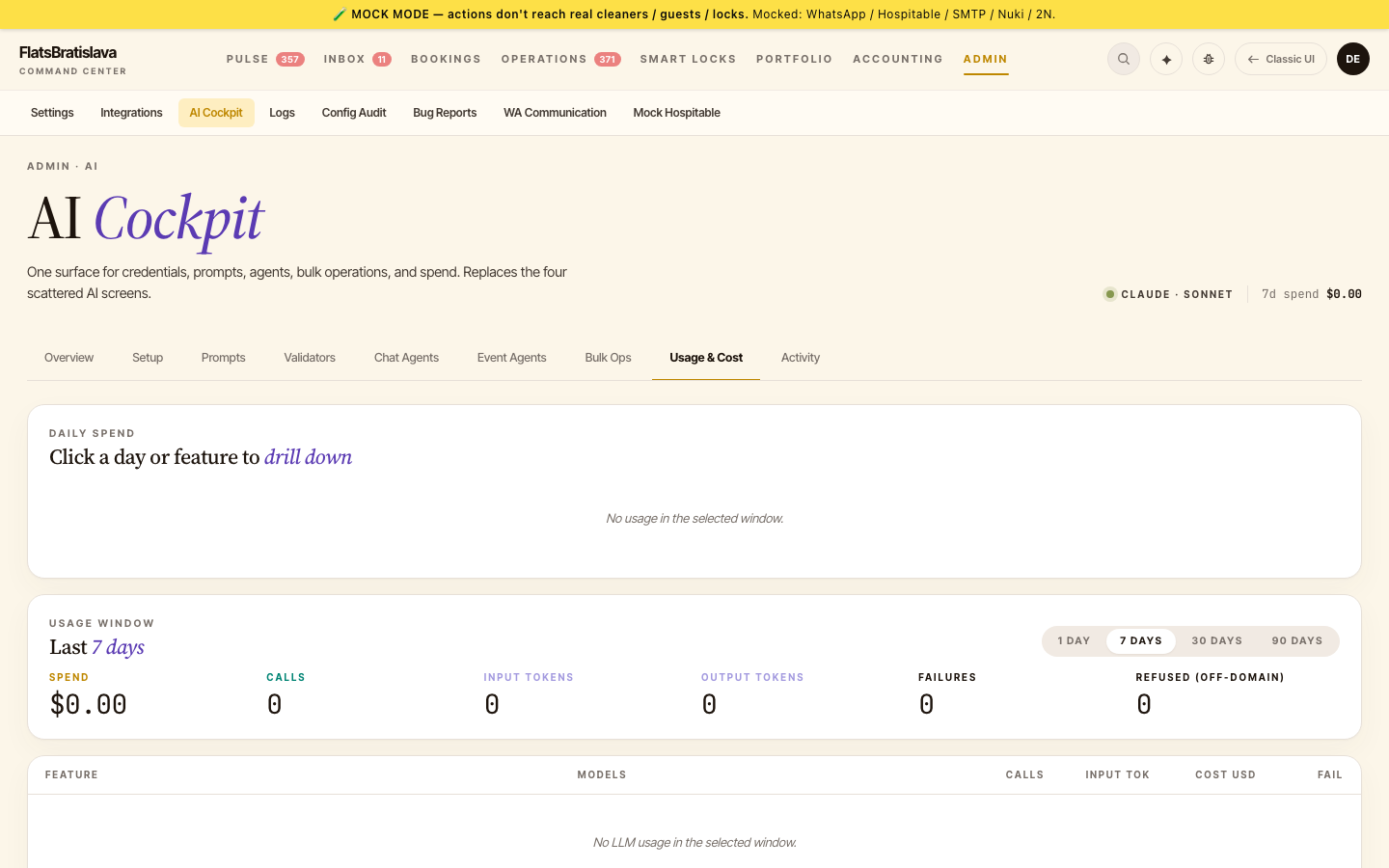
What it costs
- USAGE WINDOW: pick 1 day, 7 days, 30 days or 90 days.
- Spend: what the AI cost in that time.
- Calls: how many times the AI was asked to do something. One question to the chat helper can take several calls.
- Failures: calls that did not work. A few are normal; many on one day are worth a look.
- Input tokens and Output tokens: how much text the AI read and wrote. More text costs more.
DAILY SPEND shows one bar per day. Click a day to see only that day, and ← ALL DAYS to go back.
Why it costs that
The table lists each job the AI does for you (the Feature column), for example reply drafts, message checks or the chat helper, with its Calls, Cost USD and Fail counts. The Models column shows which AI model did the work; bigger models cost more.
Click a feature to see what it is made of. For the chat helper you see each question you asked, its cost, and how many rounds it took. A round is one step of work, such as looking up a booking. More rounds means a more expensive answer.
What to do when it is high
- One question cost much more than the others, with many rounds: the helper did a lot of lookups. In Chat Agents, lower that helper's Max tool rounds to pay less per answer (answers may be less complete).
- One helper costs a lot on every question: in Chat Agents, pick a smaller model for that helper. Smaller models cost less per answer, but usually answer less well.
- Many failures: the AI may be unavailable or set up wrong. Report it with the bug button.
- Costs jump after you edit a helper's instructions: each time you edit them, the next few answers cost more. Make all your edits at once, not one by one.
The ACTUAL VS RECORDED block
This block compares the costs above with a bill from the AI provider. It only fills in if your account is connected to the AI provider's billing. If it shows a note instead, you can ignore it; the costs above are what the app recorded for your account.