Conditions
A condition is a yes or no check. The app checks it against the current booking, guest, flat, teammate or messages. Conditions are used in two places:
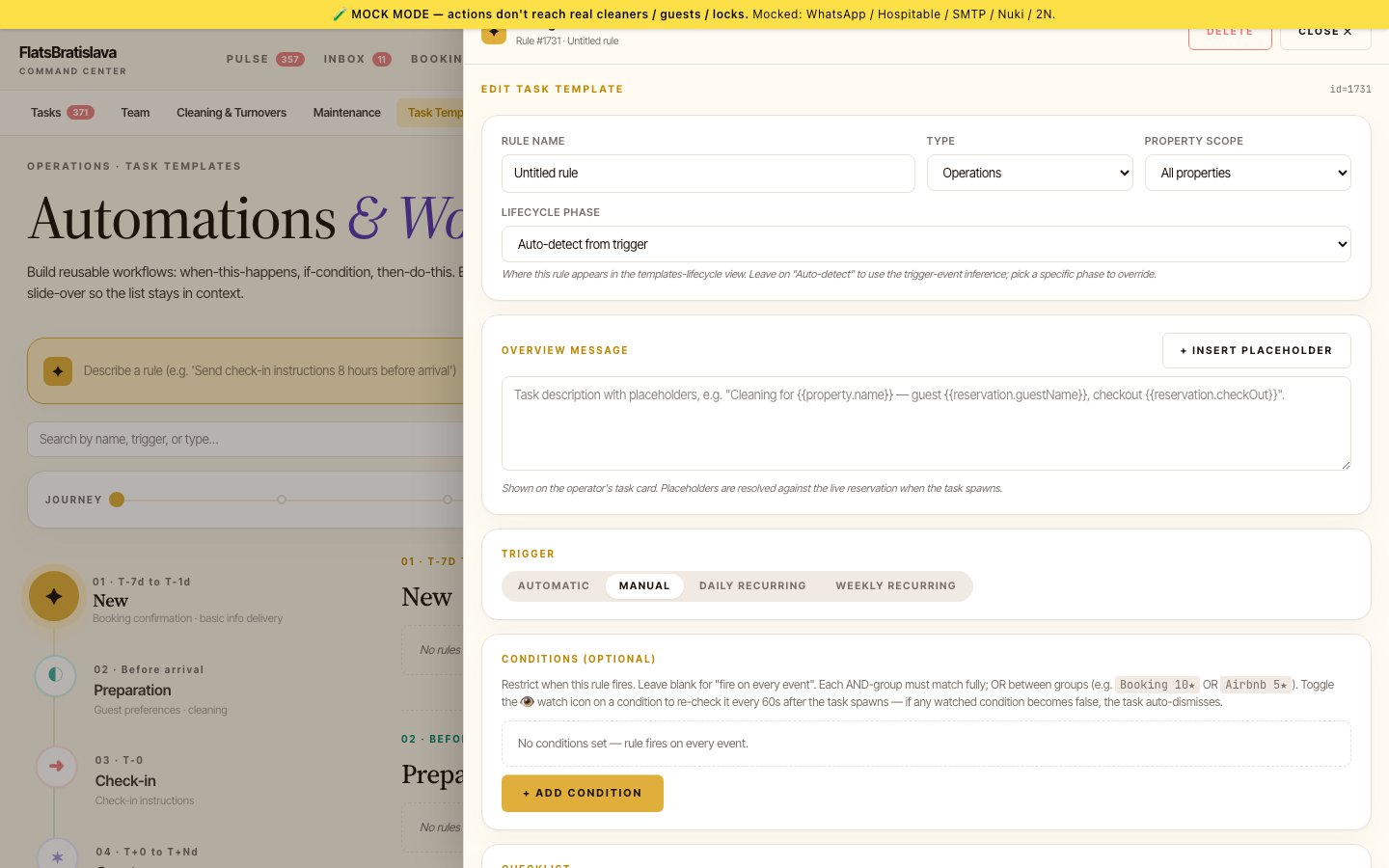
- Trigger conditions: should this template create a task for this booking at all?
- Auto-resolve conditions: should this scheduled task really run when its time comes?
Common conditions
Before Send Check-in
reservation.nukiAccessCode is_not_null
"Don't send the check-in message until the PIN has been generated."
Before the check-out reminder
messageThread.hasUnansweredGuestMessage equals false
"Don't send the pre-checkout reminder if the guest has an open question. Answer them first."
Before the thank-you message
reservation.guestMood notIn ['angry', 'disputed']
"Only send a warm thank-you if the guest isn't visibly upset."
Before Generate access code
reservation.status notIn ['cancelled', 'no_show']
"Don't create a PIN for a cancelled reservation."
Wait for other tasks
task.dependencies.allDone equals true
"Wait until all dependent tasks complete first."
The parts of a condition
Each condition answers four small questions. You fill them in the template editor.
property: what to check. It is written like a placeholder, for examplereservation.nukiAccessCode.operator: how to compare. The choices areequals,notEquals,in,notIn,is_null(the field is empty),is_not_null(the field is filled in),greaterThan,lessThan,containsandstartsWith.value: what to compare with. It can be a fixed value or a placeholder.notifyOnNotMet: the "warn me" switch. It works only for auto-resolve conditions. When it is on and the check fails at the set time, you get a WhatsApp message.
If you add several conditions, all of them must be true.
When a condition is not met
- Trigger conditions: the template does not run for this booking. No task is created.
- Auto-resolve conditions: the task stays in
scheduledstatus. If the warning is on (notifyOnNotMet: true), you get a message.
In both cases the app records the failure, with enough detail to find the cause.
Missing data
A condition that reads data the app never fills in will never be true. Watch out for:
reservation.guestMood: filled in only after the AI has read the mood of at least one guest message. A new booking with no guest messages has no mood yet.reservation.guestCommunicationType: same as the mood.reservation.earlyCheckinTime: set only if the guest or you asked for early check-in. Otherwise empty.
If you are not sure a field is always filled in, check that it is filled in first (operator is_not_null), or check that it is empty (operator is_null). Also add a fallback text in your placeholders.
New items in the condition list are added by the luxury.host team. They show in the list after you reload the page.