Supply types
Every supply has one of 4 supply types (also called categories on screen). The type decides how the app expects it to be used up, when it warns you about stock that doesn't move, and where the supply shows up in checklists.
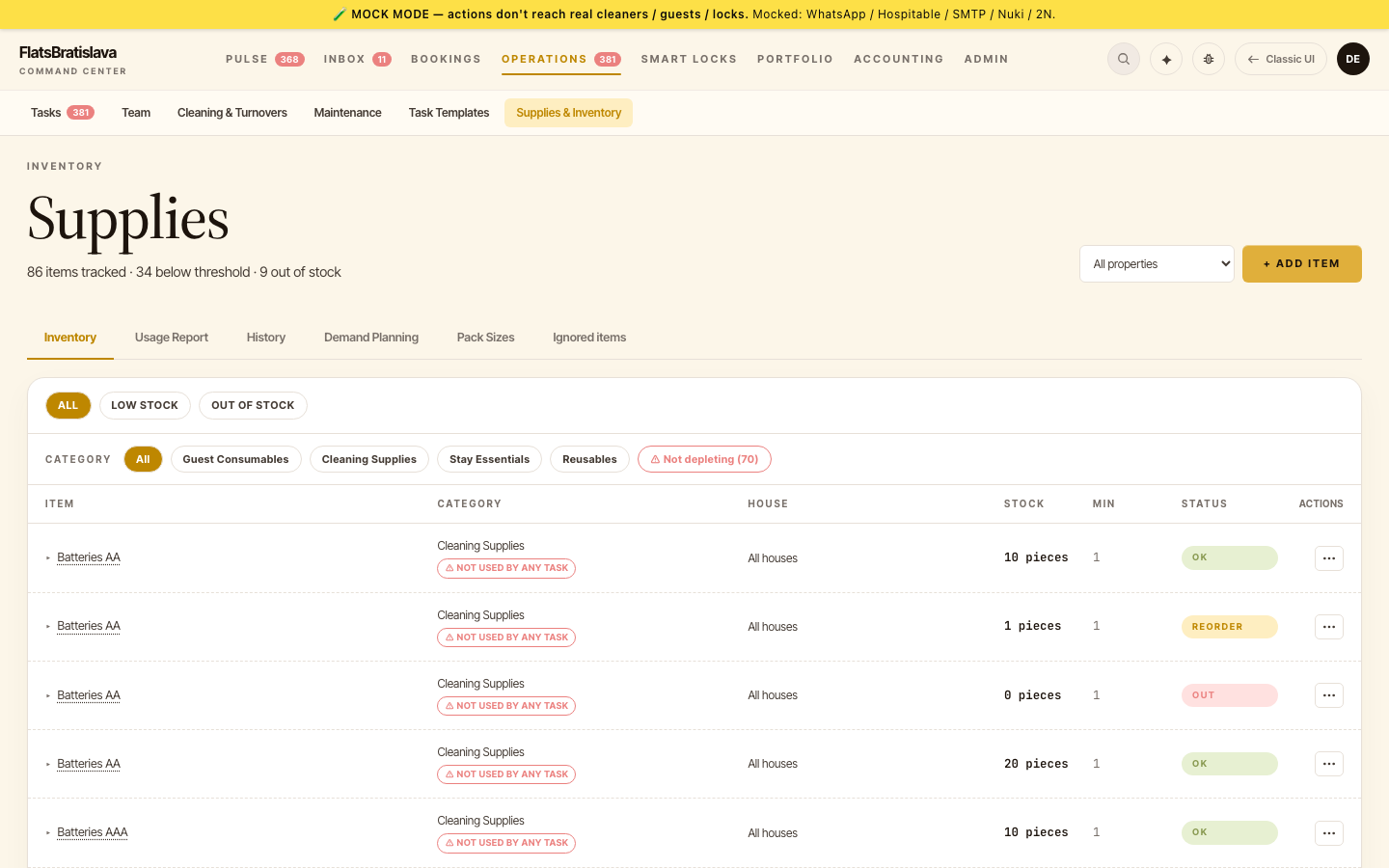
The 4 supply types
1. Guest Consumables
Things the guest USES UP (coffee capsules, toilet paper, sugar packets, shower gel).
How the app treats them:
- An expected use per stay (for example 2 capsules a day per guest).
- A warning if stock doesn't go down over N stays (you can set N).
- In the checklist "Add supply" list, these show first.
2. Cleaning Supplies
Things the CLEANER uses (mop heads, all-purpose cleaner, scouring pads).
How the app treats them:
- An expected use per cleaning.
- A warning if N cleanings happen without the supply being used.
- You choose: should each cleaning checklist get a Use supplies item for this supply?
3. Stay Essentials
Things the GUEST EXPECTS to find but doesn't really use up (towels, sheets, soap, kitchen tools: managed by you, not single-use).
How the app treats them:
- No use per stay expected.
- No warning when stock doesn't move (it's normal that towels don't run out).
- A "Missing supply" task is created if the cleaner reports a missing essential.
4. Reusables
Long-life items (vacuum, iron, mattress protector covers).
How the app treats them:
- No tracking of use.
- A maintenance plan for each item (for example replace the mattress protector every 12 months).
Settings for each supply
Each supply has:
- Expected consumption rate (per stay / per cleaning / per day / N/A): used for the warning about stock that doesn't move.
- Average unit cost: used for the cost breakdown in Accounting.
- Vendor preference: the shop from the last receipt, for reordering.
Warning: stock that doesn't move
When stock has not changed in N stays, but the expected rate says it should have:
- The supply row shows a
⚠ stale-stockchip. - The tooltip says something like: "Coffee Capsules: 12 stays since last use. Expected 240 capsules used. Stock is the same." Usually the checklist is missing a Use supplies action, or a setting is wrong.
Click it to check. Usually the fix is to add the missing Use supplies action to the cleaning checklist.
"Not depleting" filter
The Supplies list has a Not depleting filter. It shows supplies that no checklist Use supplies action uses. It helps you find the stock-that-doesn't-move problem above.
Grouped "Add supply" list in checklists
When you edit a checklist item that uses supplies, the Add supply list is grouped and filtered by supply type. You can choose "show only Cleaning Supplies for this cleaning checklist" instead of scrolling through all 50+ supplies.