Properties
Property List
The Houses screen shows every flat in your account as a card.
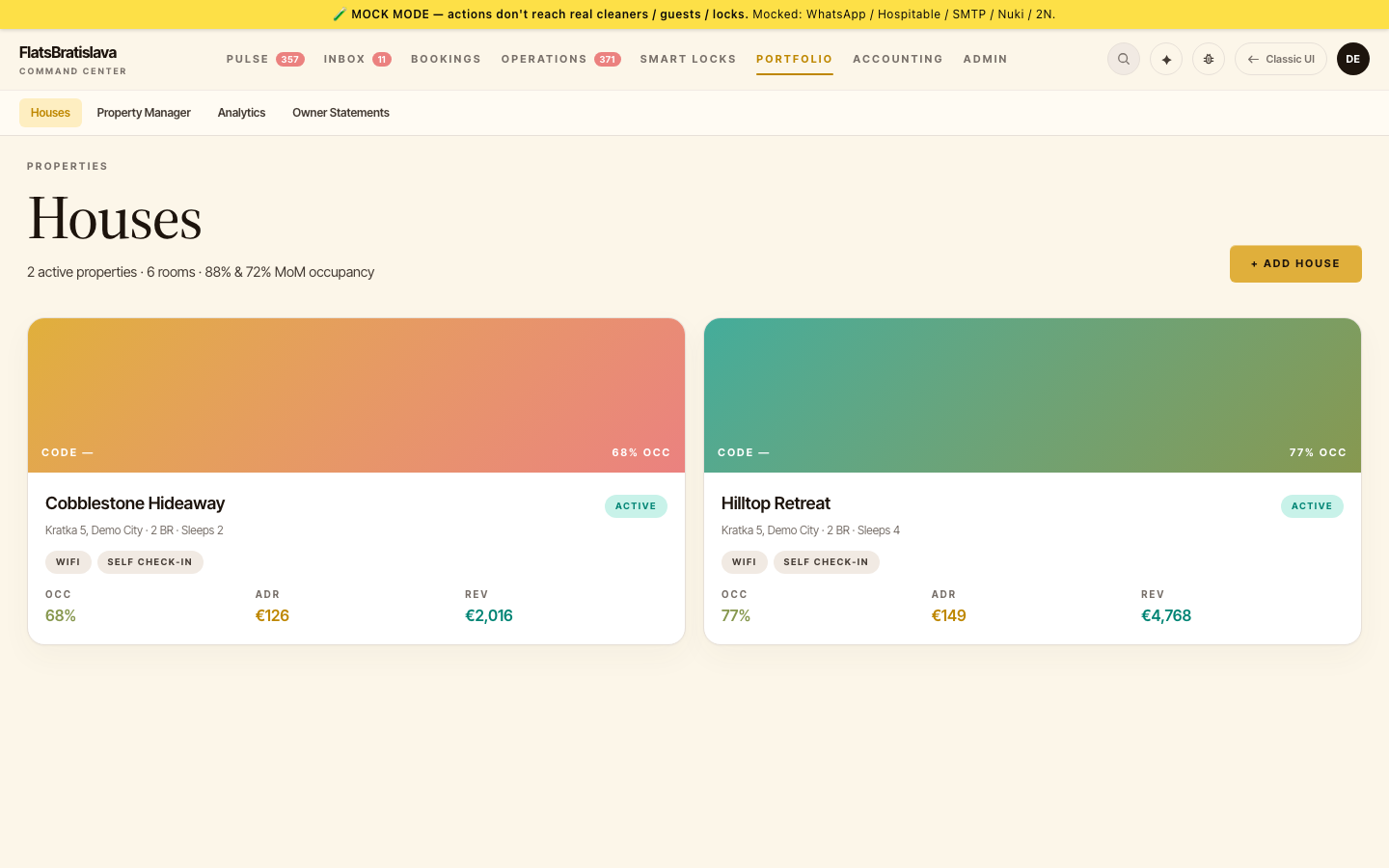
What's on the page
The screen is Portfolio → Houses. Each flat is a card. A card shows:
- The name of the flat and a status tag.
- The address and the size of the flat.
- The amenities of the flat.
- OCC, ADR and REV: occupancy, average daily rate and revenue.
If you have no flats yet, the screen says No houses yet. Use + ADD HOUSE to add your first flat. See Adding a property.
Opening a property
Click a card. The detail of the flat opens. Use the back button to return to the cards.
Changing settings
To change the settings of a flat, open Portfolio → Property Manager and pick the flat. The tabs hold the details, prices, configuration and integrations. See Property Configuration.
Source: the luxury.host operator manual.